What Makes a Modern Media Center Work
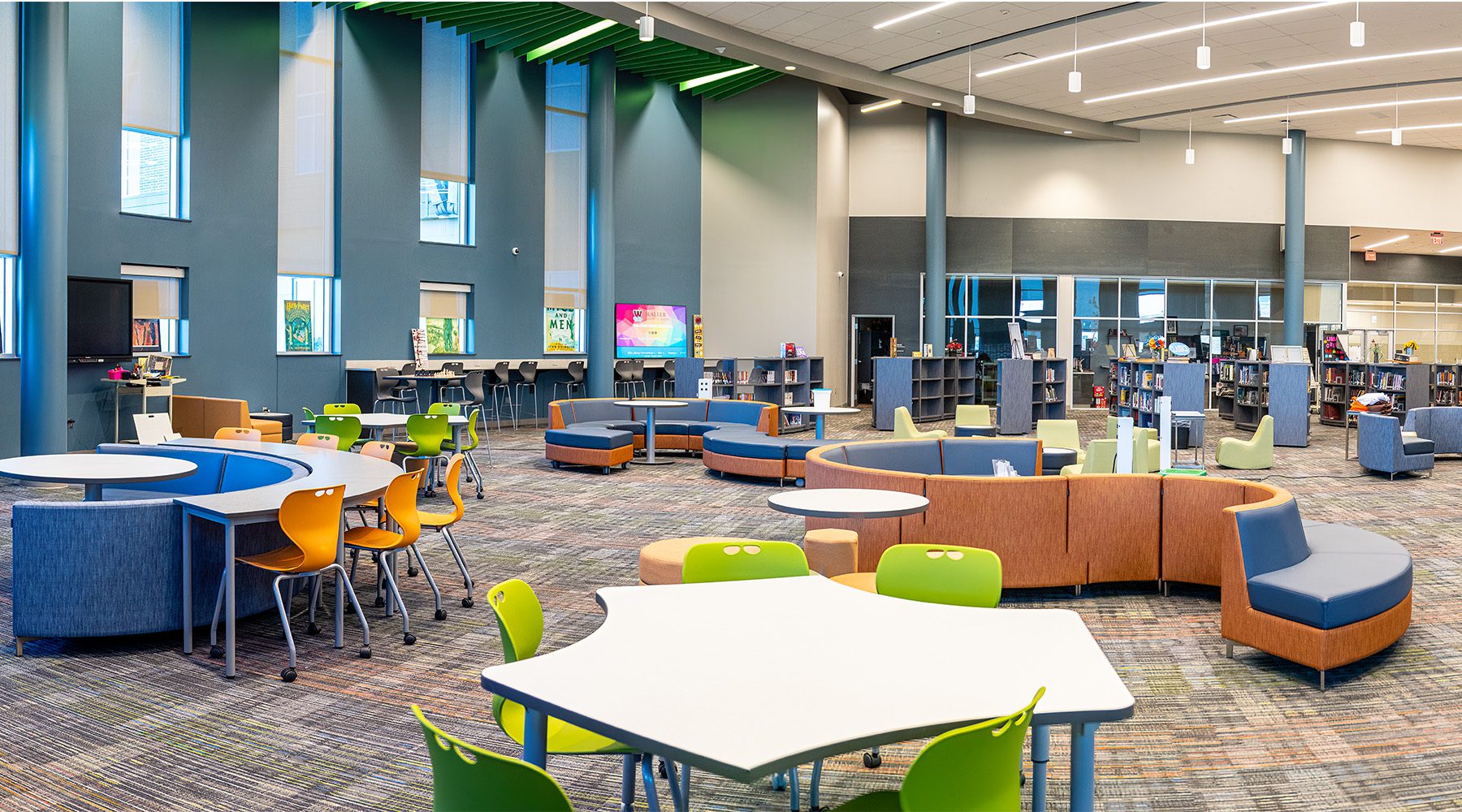
The school library long served a clear and familiar purpose: a quiet place to find books, study independently, and research assignments. While those functions still matter, the library has morphed into a modern media center to better meet the needs of teachers and students.
Media centers are now multifunctional, creative hubs of their respective schools, allowing students a comfortable environment for both independent study, small-group instruction, and project-based learning.
As their role continues to expand, districts must ensure that these media centers are intentionally designed around how students learn, with layouts and furniture that meet a new set of educational needs.
Why A Modern Media Center Matter
Media centers are among the most frequently used shared spaces in a school. On average, students visit about once per week, making it one of the few environments that consistently serves students across grade levels and instructional needs.
Decades of research reinforce their importance. More than 50 years of research across 60+ studies show that students with access to well-resourced school libraries consistently perform better academically. But access alone isn’t enough.
Students visit their school’s media center about once a week, making it one of the few spaces that consistently serves every grade level and type of learner.
Today’s modern media centers must house several different experiences, providing for multiple ways of working simultaneously without disrupting focus or productivity. They should function as flexible environments where students move between:
- independent study
- research and digital literacy instruction
- creative exploration throughout the day
Most schools understand the potential. The harder question is knowing what’s actually standing in the way.
Why Media Centers Still Struggle
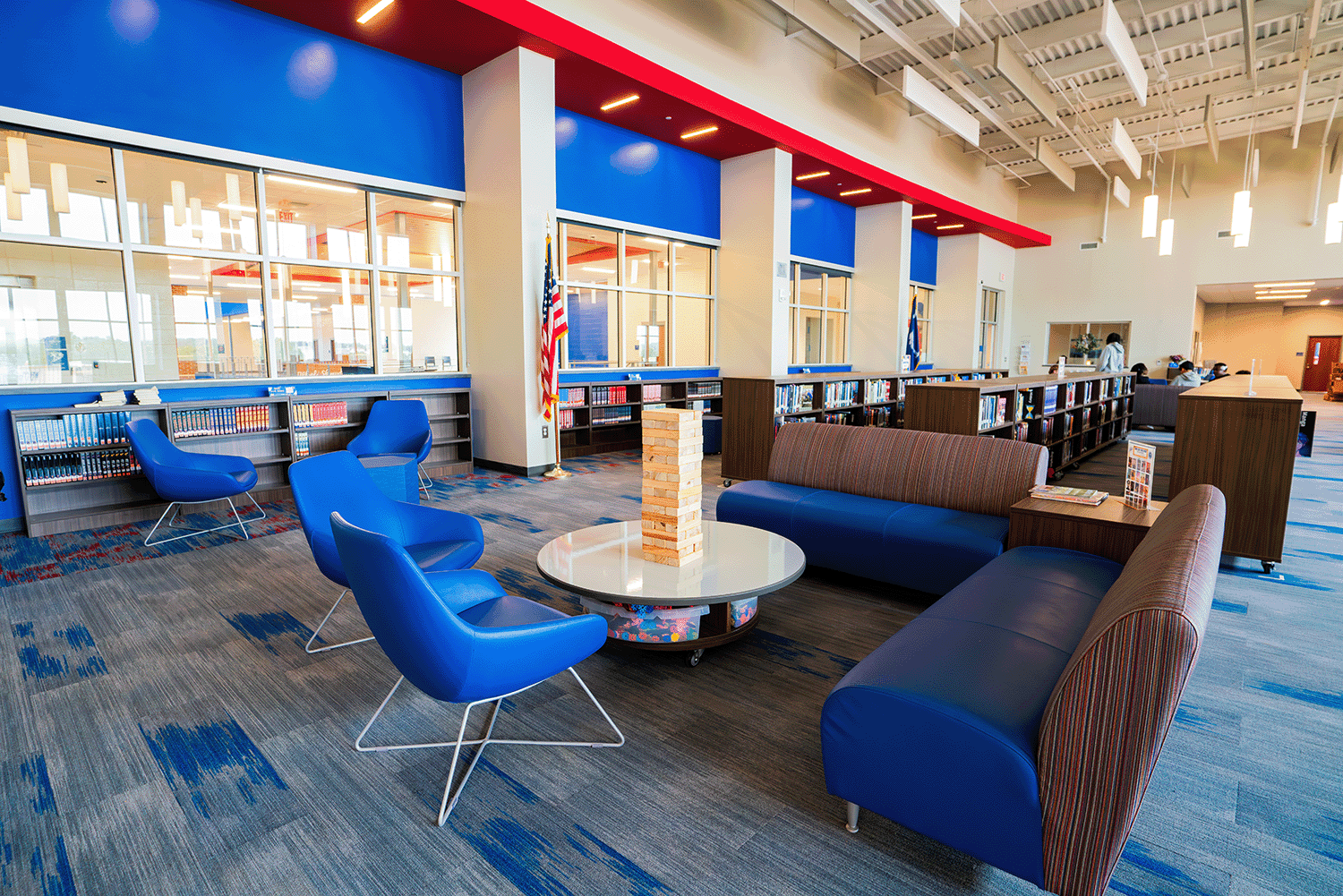
Schools may recognize that their media centers should enable more collaboration and creativity than they once did. But the challenge is understanding how what they already have was designed to function and how it can begin supporting a broader range of activity.
Sligh Middle School in Tampa is a good illustration of this. Principal Angela Brown described their media center as “antiquated and dark” and “just not really conducive to kids coming in and wanting to be in an inviting space.” The layout hadn’t kept pace with how students needed to use it.
When a media center’s layout reflects the past, it puts a ceiling on what’s possible in the present.
Layouts of media centers frequently reflect their earlier role as a quiet, book-centered environment rather than a flexible environment. In many schools, this shows up in familiar patterns such as:
- shelving that defines circulation paths
- seating arranged solely for independent study
- technology added over time without a plan
As expectations for instruction evolve, these inherited designs can make it harder to facilitate the types of work that take place there. If quiet reading and creative work are to share the same room, without thoughtful organization these activities can compete with one another instead of coexisting.
Once schools begin defining how the media center should function throughout a given day, layout decisions become much clearer.
What Makes for an Effective Modern Media Center
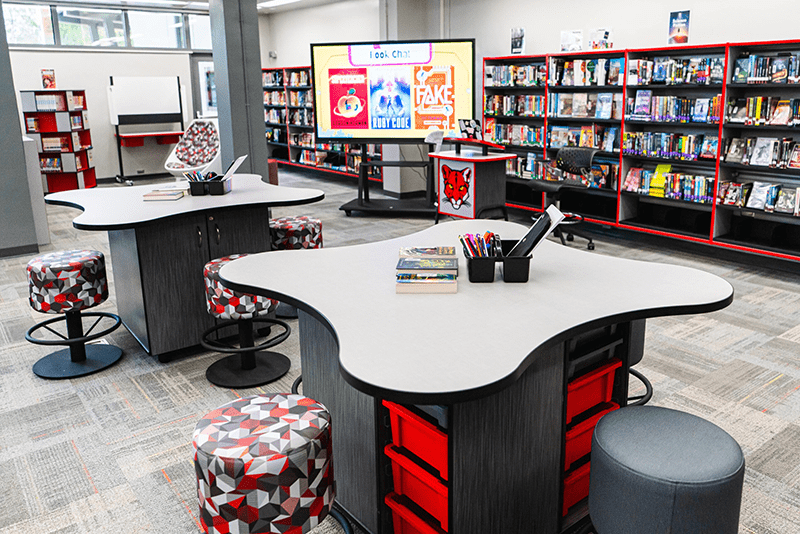
With modern media centers expected to accommodate so much, layout plays a critical role in making it work. Without clear organization, these environments can quickly become distracting or underused.
The goal is one space that handles many uses without conflict. Quiet study, group work, and hands-on learning can coexist without getting in each other’s way.
Intentional layout planning allows a variety of activities to share the same space without friction. Even within an existing footprint, a few deliberate strategies can help media centers serve more of how students actually learn.
| Layout Consideration | Why It Matters |
|---|---|
| Defined Zones | Allows quiet study, collaboration, instruction, and creative work to take place within the same environment by setting clear boundaries between different types of use. |
| Open but Structured Spaces | Maintains visual openness and flexibility while using subtle boundaries (furniture placement, flooring changes, partial dividers, etc.) to limit noise bleed and prevent one activity from overwhelming another. |
| Adaptability Over Time | Enables the media center to adjust as curriculum, enrollment, and technology change, supporting new instructional needs without requiring major renovation. |
Once schools define how different types of learning need to work together, the decisions about where to invest and what to change become much easier to make. And the results speak for themselves.
At James Elementary, that impact was immediately visible. “The difference is night and day,” said Media Specialist, Latoya Desamour. “There’s so much vibrant color in the media center now. Before it was a bit of a dark area and there wasn’t a lot of seating for the kids to do a lot of different things. But now there’s lots of space for our students, everything is more organized, and lots of room for creativity and learning.”
A Practical Path to a Modern Media Center
Meaningful upgrades don’t require a full renovation. Smaller adjustments can go a long way toward reinforcing how students and teachers already use it while building momentum for what comes next.
Meaningful change rarely starts with a full renovation. It starts with a series of deliberate, phased decisions.
With a clear vision in place, districts can begin making progress in phases.
Phase 1: Reorganize the Existing Space
The earliest and often most impactful steps require no major investment. Simply rethinking how the media center is arranged can meaningfully change how students and teachers use it every day. Schools may begin by:
- repositioning shelving to improve visibility and circulation
- defining zones for quiet study, collaboration, and instruction
- creating small-group work areas within the existing environment
These small adjustments can make the media center easier to use immediately while helping identify priorities for future updates.
Phase 2: Introduce Target Upgrades
After getting the most out of the existing layout, schools can begin adding specific, high-impact pieces that expand what the media center can do without requiring a full overhaul. Common next steps include:
- adding flexible tables that can hold multiple group sizes
- introducing varied seating for reading, cooperative learning, and project work
- creating small presentation or creation areas where appropriate
These updates allow schools to bring in more instructional modes without waiting for a larger renovation cycle.
Phase 3: Plan for Long-Term Alignment
Over time, small enhancements help school leaders make more confident decisions about how media centers enrich instruction across campuses. Longer-term planning often includes:
- establishing consistent space-use priorities across schools
- aligning media center layouts with instructional goals
- anticipating updates for new technology and digital needs
With a phased approach, districts can begin improving how media centers function today while building toward a more adaptable and future-ready environment over time.
Furniture for Flexibility and Student Choice
As schools begin making improvements to their media centers, furniture is often one of the most effective ways to expand how the room supports instruction without requiring renovation.
The right furniture determines how a room gets used. Even a handful of flexible pieces can fundamentally change what a media center makes possible.
Adaptable furniture allows students and teachers to move between independent work and group learning more easily throughout the day. Even a small number of these elements can make a noticeable difference in how the media center is used.
Some of the most common early upgrades include:
| Furniture Element | How It Supports Learning |
|---|---|
| Mobile Tables | Allow quick transitions between individual work, small groups, and whole-class instruction without resetting the space between activities. |
| Varied Seating Options | Accommodate different learning preferences and comfort needs while encouraging longer engagement with reading, research, and project work. |
| Soft Seating Areas | Create welcoming zones for independent reading, informal collaboration, and reflection. |
| Writable Surfaces | Unlock brainstorming, group problem-solving, and visible thinking during collaboration. |
| Presentation Displays | Make it easier for students and teachers to share ideas and work together in group activities. |
Rather than requiring large-scale changes, these focused updates to furniture help media centers open the door to more educational experiences while building toward longer-term transformation goals.
Conclusion — Modern Media Center
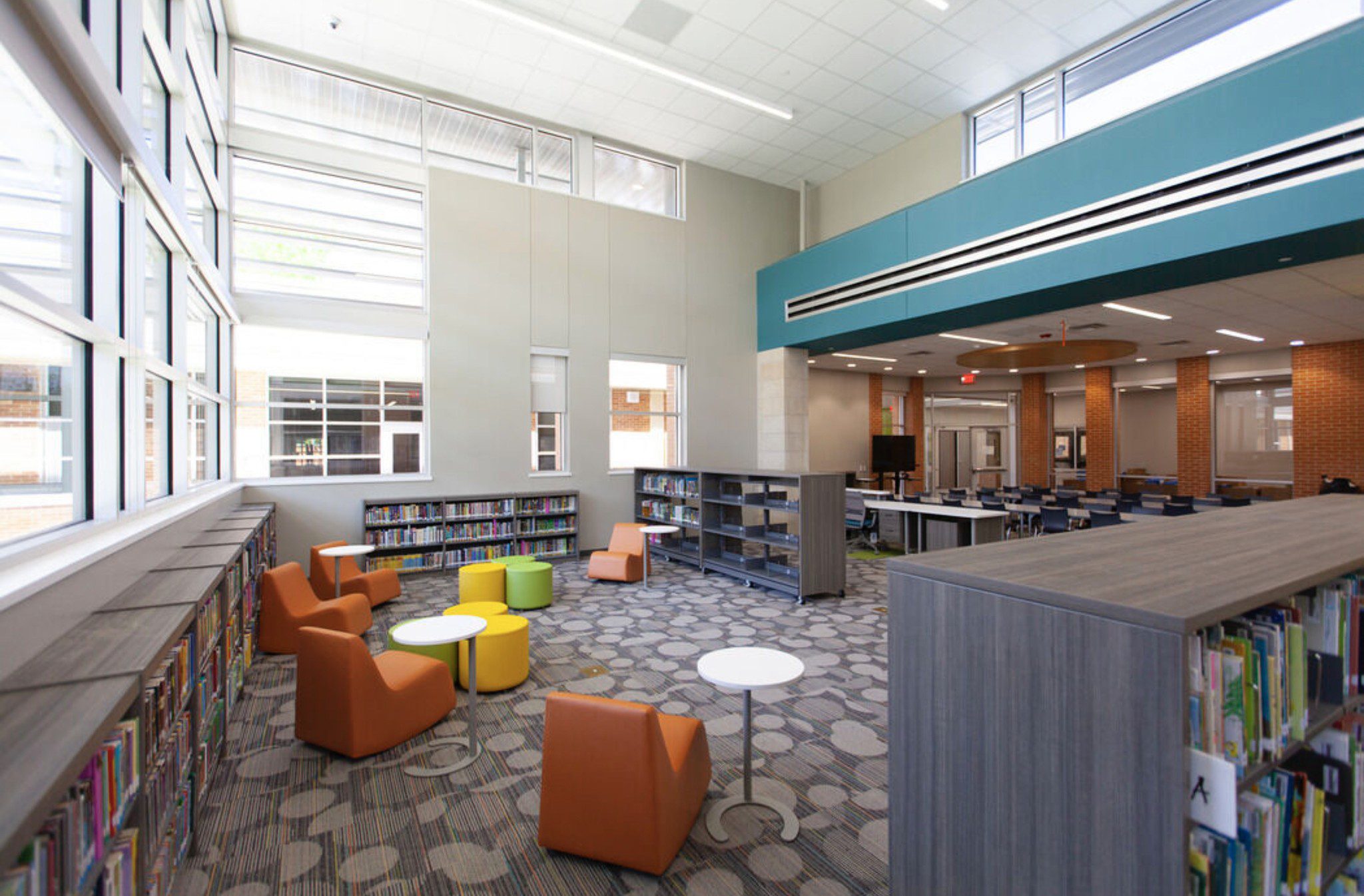
Media centers are among the most versatile spaces in a school. They’re built to serve independent learners, small groups, whole-class instruction, and creative work, often within the same hour. When the layout reflects that reality, it becomes one of the most valuable instructional environments on campus.
For most schools, the path forward begins with a series of deliberate decisions — reorganizing what’s there, introducing specific upgrades, and building toward a grander vision over time.
The results can be transformative, as can be seen at Sligh Middle School. “Before, books felt intimidating to many students,” said Media Specialist Megan Sullivan. “Now, the inviting colors, flexible seating, and layout remove those barriers. You just want to gravitate towards a shelf, pick up a book, find a comfy spot, and just read all day.”
That’s what a modern media center makes possible. With the right approach, every school can get there.
meteor education
See what’s possible in your media center
Every school’s media center is different. Our lookbook shows how schools have transformed these spaces with flexible furniture, intentional design, and a phased approach that fits any budget.